## Notifier (Discord Webhook)
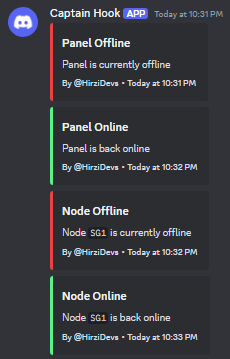
Get a notification on Discord when your panel or specific nodes are currently down.
 ### Enabling Notifier
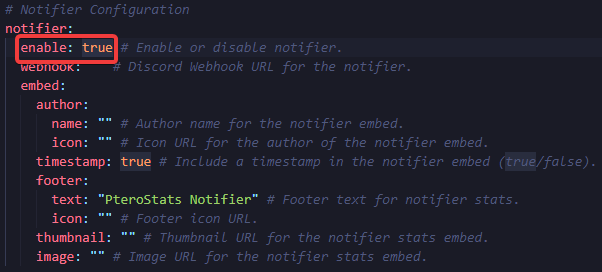
Open `config.yml` and set `enable` at the notifier configuration to `true`
### Enabling Notifier
Open `config.yml` and set `enable` at the notifier configuration to `true`
 ### Getting Discord Webhook URL
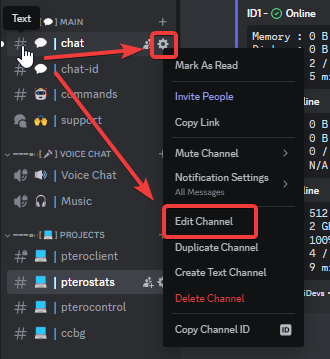
1. Go to the channel settings of the channel you want to set for the notifier.
### Getting Discord Webhook URL
1. Go to the channel settings of the channel you want to set for the notifier.
 2. Go to integrations and select `View Webhooks` or `Create Webhook`.
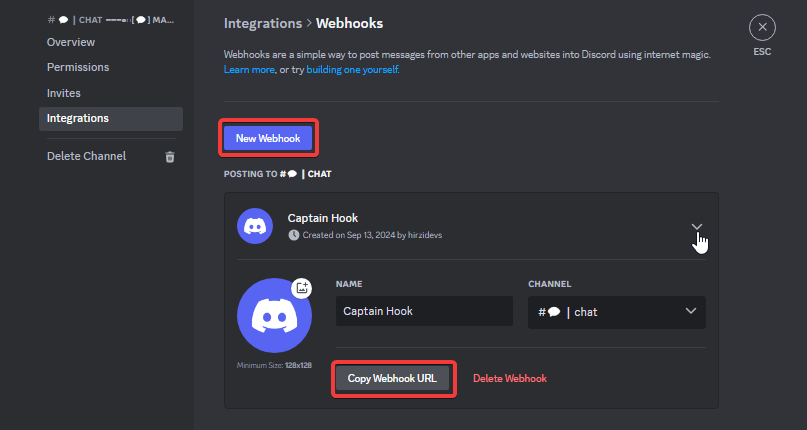
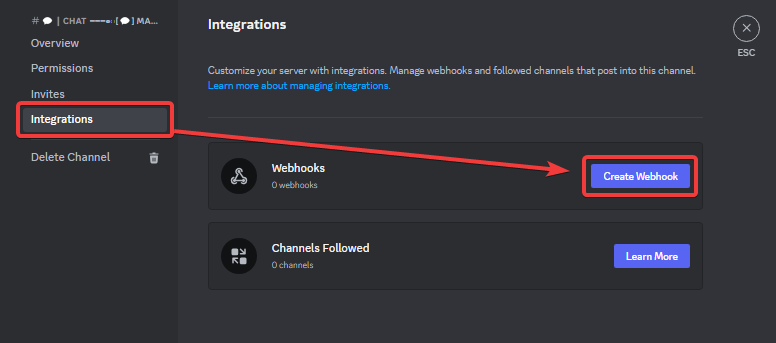 3. Create a new webhook and copy the Webhook URL
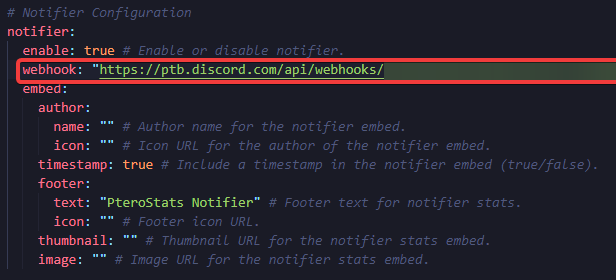
 4. Paste the Webhook URL on the webhook notifier configuration.
 > [!TIP]
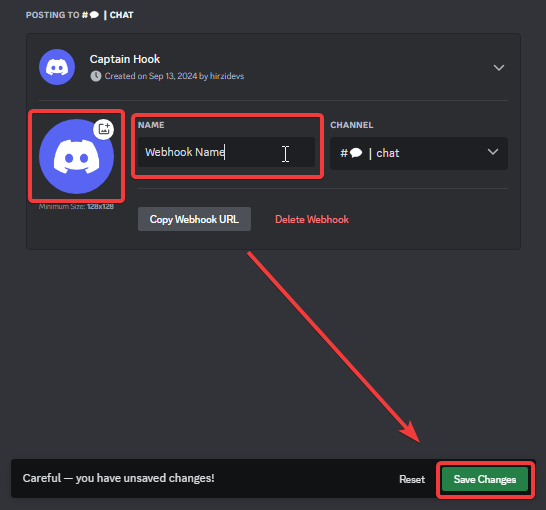
> You can change the webhook icon and username on the webhook settings.
> [!TIP]
> You can change the webhook icon and username on the webhook settings.