mirror of
https://github.com/Mo3he/Axis_Cam_Tailscale.git
synced 2026-08-01 12:56:34 +00:00


144 lines
4.2 KiB
Markdown
144 lines
4.2 KiB
Markdown
# Tailscale Installer ACAP for Axis Cameras
|
||
|
||
This repository contains an **ACAP package** that installs the [Tailscale VPN client](https://tailscale.com/) on Axis cameras.
|
||
|
||
- ✅ Secure remote access to cameras
|
||
- ✅ Easy to install via EAP package
|
||
- ✅ Works on **Axis OS 12+** (non-root version)
|
||
- ✅ Based on **WireGuard VPN** technology
|
||
|
||
[](https://github.com/Mo3he/Axis_Cam_Tailscale/releases)
|
||
[](LICENSE)
|
||
[](https://github.com/sponsors/Mo3he)
|
||
|
||
---
|
||
|
||
## 📑 Table of Contents
|
||
|
||
- [📥 Installation](#-installation)
|
||
- [🚀 Usage](#-usage)
|
||
- [🔄 Updating Tailscale](#-updating-tailscale)
|
||
- [🧪 Testers Needed](#-testers-needed)
|
||
- [🎉 Good News](#-good-news)
|
||
- [🎯 Purpose](#-purpose)
|
||
- [🔗 Useful Links](#-useful-links)
|
||
- [🖥️ Compatibility](#️-compatibility)
|
||
- [⭐ Star History](#-star-history)
|
||
- [💖 Support](#-support)
|
||
|
||
---
|
||
|
||
## 📥 Installation
|
||
|
||
The recommended way is to use the **prebuilt `.eap` file** from the [Releases page](https://github.com/Mo3he/Axis_Cam_Tailscale/releases).
|
||
|
||
1. Log into your Axis camera.
|
||
2. Go to **Apps → Add App**.
|
||
3. Upload the `.eap` file.
|
||
|
||
Once installed:
|
||
- Start the app.
|
||
- Click **Open** to view logs and get your Tailscale authentication URL.
|
||
- On uninstall, all changes/files are removed.
|
||
|
||
> ⚠️ You’ll need a [Tailscale account](https://tailscale.com/) to authenticate.
|
||
|
||
---
|
||
|
||
## 🚀 Usage
|
||
|
||
- Runs a startup script to set permissions and launch Tailscale.
|
||
- View logs via the **Open** button in the app.
|
||
- Authenticate using the provided URL.
|
||
|
||
---
|
||
|
||
## 🔄 Updating Tailscale
|
||
|
||
- New `.eap` files are auto-built and released **weekly** (if a new Tailscale version is available).
|
||
- To update, simply install the new `.eap` over the existing one.
|
||
|
||
### Manual update (advanced)
|
||
|
||
Replace the binaries in the `lib/` folder:
|
||
- `tailscale`
|
||
- `tailscaled`
|
||
|
||
Download the latest versions: [Tailscale static builds](https://pkgs.tailscale.com/stable/#static)
|
||
|
||
#### Build locally
|
||
|
||
From the main directory of the version you want (`arm` / `aarch64`):
|
||
|
||
```bash
|
||
docker build --tag <package_name> .
|
||
docker cp $(docker create <package_name>):/opt/app ./build
|
||
```
|
||
|
||
---
|
||
|
||
## 🧪 Testers Needed
|
||
|
||
A new **custom** version is available:
|
||
- Allows setting a custom server and auth key (for [Headscale](https://headscale.net/)).
|
||
- Go to **Settings (⋮ → Settings)** to add your details.
|
||
|
||
Please give it a try and share your feedback!
|
||
|
||
---
|
||
|
||
## 🎉 Good News
|
||
|
||
Tailscale ACAP can now run **without root privileges**, making it compatible with **Axis OS 12+**.
|
||
|
||
- Runs in **user space networking mode**.
|
||
|
||
For **full networking features**, use the **ROOT** version on Axis OS < 12.
|
||
|
||
---
|
||
|
||
## 🎯 Purpose
|
||
|
||
Adding a VPN client directly to the camera enables:
|
||
- Secure remote access without additional hardware or complex network configuration.
|
||
- Easy setup through Tailscale’s lightweight WireGuard-based tunnel.
|
||
|
||
🔗 Learn more: [How Tailscale Works](https://tailscale.com/blog/how-tailscale-works/)
|
||
|
||
---
|
||
|
||
## 🔗 Useful Links
|
||
|
||
- [Tailscale](https://tailscale.com/)
|
||
- [Tailscale GitHub](https://github.com/tailscale/tailscale)
|
||
- [WireGuard](https://www.wireguard.com/)
|
||
- [Axis Communications](https://www.axis.com/)
|
||
|
||
---
|
||
|
||
## 🖥️ Compatibility
|
||
|
||
The Tailscale ACAP is compatible with Axis cameras with **ARM** and **AARCH64**-based SoCs.
|
||
|
||
You can verify your device details using the following command:
|
||
|
||
```bash
|
||
curl --anyauth "*" -u <username>:<password> <device_ip>/axis-cgi/basicdeviceinfo.cgi --data '{"apiVersion":"1.0","context":"Client defined request ID","method":"getAllProperties"}'
|
||
```
|
||
|
||
> Replace `<device_ip>`, `<username>`, and `<password>` with your device credentials.
|
||
> Enclose your password in quotes `' '` if it contains special characters.
|
||
|
||
---
|
||
|
||
## ⭐ Star History
|
||
|
||
[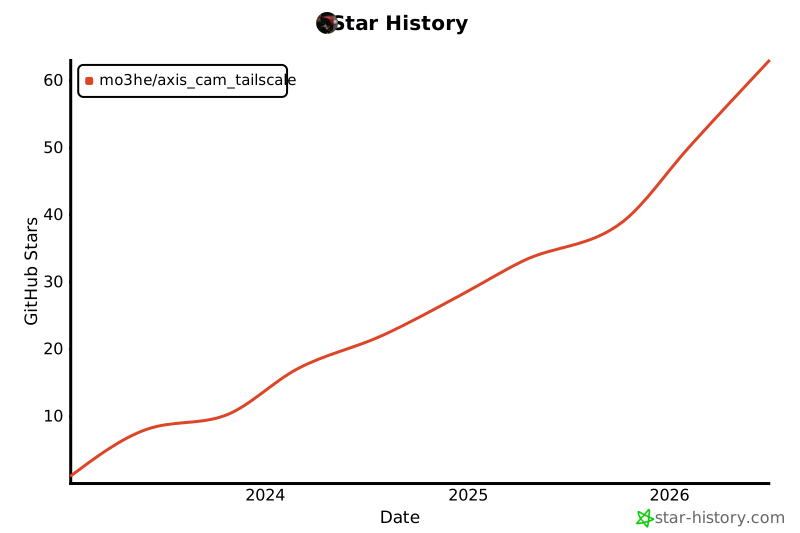](https://www.star-history.com/#Mo3he/Axis_Cam_Tailscale&Date)
|
||
|
||
---
|
||
|
||
## 💖 Support
|
||
|
||
If you like this project and want to support future updates:
|
||
👉 [Sponsor Me](https://github.com/sponsors/Mo3he)
|