mirror of
https://github.com/Mo3he/Axis_Cam_Tailscale.git
synced 2026-09-21 07:14:16 +00:00

191 lines
6.8 KiB
Markdown
191 lines
6.8 KiB
Markdown
# Tailscale ACAP for Axis Cameras
|
||
|
||
**[Visit the Homepage](https://mo3he.github.io/Axis_Cam_Tailscale/)**
|
||
|
||
This repository provides an **ACAP package** that installs the [Tailscale VPN client](https://tailscale.com/) on Axis cameras.
|
||
|
||
- Secure remote access to cameras
|
||
- Easy to install via EAP package
|
||
- Works on **Axis OS 12+** (non-root version)
|
||
- Works on **legacy Axis OS 9.x / 10.x** via the ACAP 3 variant
|
||
- Based on **WireGuard VPN** technology
|
||
|
||
[](https://github.com/Mo3he/Axis_Cam_Tailscale/releases)
|
||
[](LICENSE)
|
||

|
||
[](https://github.com/sponsors/Mo3he)
|
||
|
||
> **Disclaimer:** This is an independent, community-developed ACAP package and is not an official Axis Communications product. It was developed entirely on personal time and is not affiliated with, endorsed by, or supported by Axis Communications AB. Use it at your own risk. For official Axis software, visit axis.com
|
||
|
||
> **Tailscale Notice:** Tailscale is a product of Tailscale Inc. This package independently redistributes the Tailscale binaries under the [BSD 3-Clause License](LICENSE) and is not affiliated with, endorsed by, or supported by Tailscale Inc. For the official Tailscale client, visit [tailscale.com](https://tailscale.com).
|
||
---
|
||
|
||
## Table of Contents
|
||
|
||
- [Installation](#installation)
|
||
- [Usage](#usage)
|
||
- [Proxy Support](#proxy-support)
|
||
- [Updating Tailscale](#updating-tailscale)
|
||
- [Testers Needed](#testers-needed)
|
||
- [Good News](#good-news)
|
||
- [Purpose](#purpose)
|
||
- [Useful Links](#useful-links)
|
||
- [Compatibility](#compatibility)
|
||
- [Star History](#star-history)
|
||
- [Support](#support)
|
||
|
||
---
|
||
|
||
## Installation
|
||
|
||
Get the **prebuilt `.eap` file** from the [Releases page](https://github.com/Mo3he/Axis_Cam_Tailscale/releases).
|
||
|
||
1. Log into your Axis camera.
|
||
2. Go to **Apps → Add App**.
|
||
3. Upload the `.eap` file.
|
||
|
||
Once installed:
|
||
- Start the app.
|
||
- Click **Open** to view logs and get your Tailscale authentication URL.
|
||
- On uninstall, all changes/files are removed.
|
||
|
||
> You'll need a [Tailscale account](https://tailscale.com/) to authenticate.
|
||
|
||
---
|
||
|
||
## Usage
|
||
|
||
- Runs a startup script to set permissions and launch Tailscale.
|
||
- View logs via the **Open** button in the app.
|
||
- Authenticate using the provided URL.
|
||
|
||
---
|
||
|
||
## Proxy Support
|
||
|
||
All non-ROOT variants expose two local proxy endpoints that route outbound traffic through the Tailscale tunnel:
|
||
|
||
### HTTP CONNECT Proxy — `http://127.0.0.1:8080`
|
||
|
||
Routes HTTP and HTTPS traffic. Set this wherever an HTTP/HTTPS proxy field is available on the camera:
|
||
|
||
| Location | Field | Value |
|
||
|---|---|---|
|
||
| System → Network → Global proxies | HTTP proxy | `http://127.0.0.1:8080` |
|
||
| System → Network → Global proxies | HTTPS proxy | `http://127.0.0.1:8080` |
|
||
| System → MQTT → Broker | HTTP proxy | `http://127.0.0.1:8080` |
|
||
| System → MQTT → Broker | HTTPS proxy | `http://127.0.0.1:8080` |
|
||
|
||
### SOCKS5 Proxy — `127.0.0.1:1055`
|
||
|
||
For ACAP apps or services that support SOCKS5, set their proxy to `127.0.0.1:1055`.
|
||
|
||
> Proxy addresses are shown in the **Connection Details** panel of the web UI when connected.
|
||
|
||
---
|
||
|
||
## Updating Tailscale
|
||
|
||
- New `.eap` files are auto-built and released **weekly** (if a new Tailscale version is available).
|
||
- To update, simply install the new `.eap` over the existing one.
|
||
|
||
### Manual update (advanced)
|
||
|
||
Replace the binaries in the `lib/` folder:
|
||
- `tailscale`
|
||
- `tailscaled`
|
||
|
||
Download the latest versions: [Tailscale static builds](https://pkgs.tailscale.com/stable/#static)
|
||
|
||
#### Build locally
|
||
|
||
From the main directory of the version you want (`arm` / `aarch64`):
|
||
|
||
```bash
|
||
docker build --tag <package_name> .
|
||
docker cp $(docker create <package_name>):/opt/app ./build
|
||
```
|
||
|
||
---
|
||
|
||
## Testers Needed
|
||
|
||
A new **custom** version is available:
|
||
- Allows setting a custom server and auth key (for [Headscale](https://headscale.net/)).
|
||
- Go to **Settings (⋮ → Settings)** to add your details.
|
||
|
||
Please give it a try and share your feedback!
|
||
|
||
---
|
||
|
||
## Good News
|
||
|
||
Tailscale ACAP can now run **without root privileges**, making it compatible with **Axis OS 12+**.
|
||
|
||
- Runs in **user space networking mode**.
|
||
|
||
For **full networking features**, use the **ROOT** version on Axis OS < 12.
|
||
|
||
### Legacy camera support (Axis OS 9.x / 10.x)
|
||
|
||
An **ACAP 3** variant (`armv7hf_acap3`) is available for older cameras that do not support ACAP 4 / Axis OS 11+. It uses the same userspace networking mode and web UI, built against the ACAP SDK 3.5 toolchain.
|
||
|
||
---
|
||
|
||
## Purpose
|
||
|
||
Adding a VPN client directly to the camera enables:
|
||
- Secure remote access without additional hardware or complex network configuration.
|
||
- Easy setup through Tailscale’s lightweight WireGuard-based tunnel.
|
||
|
||
Learn more: [How Tailscale Works](https://tailscale.com/blog/how-tailscale-works/)
|
||
|
||
---
|
||
|
||
## Useful Links
|
||
|
||
- [Tailscale](https://tailscale.com/)
|
||
- [Tailscale GitHub](https://github.com/tailscale/tailscale)
|
||
- [WireGuard](https://www.wireguard.com/)
|
||
- [Axis Communications](https://www.axis.com/)
|
||
|
||
---
|
||
|
||
## Compatibility
|
||
|
||
The Tailscale ACAP is compatible with Axis cameras with **ARM** and **AARCH64**-based SoCs.
|
||
|
||
| Variant | Architecture | Axis OS | Notes |
|
||
|---|---|---|---|
|
||
| `armv7hf` | ARMv7 | 11+ (ACAP 4) | Standard, userspace networking |
|
||
| `aarch64` | AArch64 | 11+ (ACAP 4) | Standard, userspace networking |
|
||
| `armv7hf_root` | ARMv7 | 10 or earlier | Full kernel networking (root) |
|
||
| `aarch64_root` | AArch64 | 10 or earlier | Full kernel networking (root) |
|
||
| `armv7hf_custom` | ARMv7 | 11+ (ACAP 4) | Custom server / Headscale support |
|
||
| `aarch64_custom` | AArch64 | 11+ (ACAP 4) | Custom server / Headscale support |
|
||
| `armv7hf_acap3` | ARMv7 | **9.x – 10.x** | Legacy cameras, ACAP SDK 3 |
|
||
|
||
> Not sure which variant to use? Check **System → Properties → Firmware version** on your camera. Axis OS 11+ → use the standard variant. Axis OS 9/10 on ARMv7 → use `armv7hf_acap3`.
|
||
|
||
You can verify your device details using the following command:
|
||
|
||
```bash
|
||
curl --anyauth "*" -u <username>:<password> <device_ip>/axis-cgi/basicdeviceinfo.cgi --data '{"apiVersion":"1.0","context":"Client defined request ID","method":"getAllProperties"}'
|
||
```
|
||
|
||
> Replace `<device_ip>`, `<username>`, and `<password>` with your device credentials.
|
||
> Enclose your password in quotes `' '` if it contains special characters.
|
||
|
||
---
|
||
|
||
## Star History
|
||
|
||
[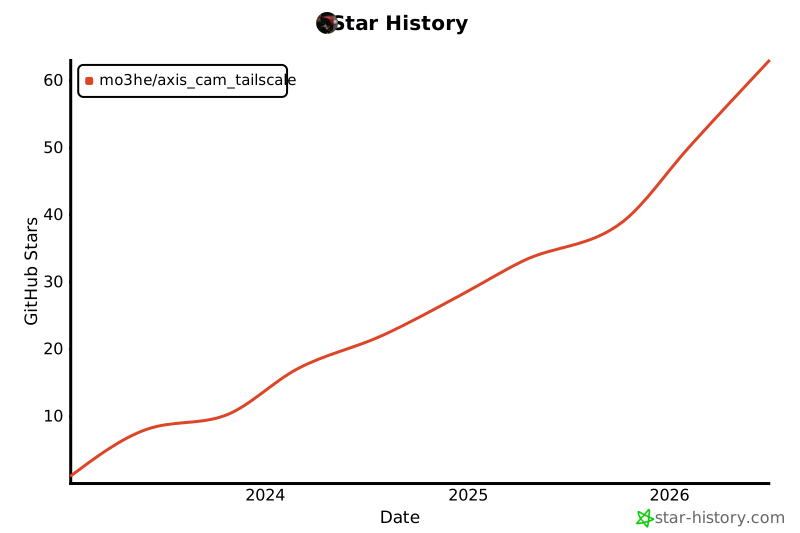](https://www.star-history.com/#Mo3he/Axis_Cam_Tailscale&Date)
|
||
|
||
---
|
||
|
||
## Support
|
||
|
||
If you like this project and want to support my work:
|
||
[Sponsor Me](https://github.com/sponsors/Mo3he)
|