
PteroStats
Introduction
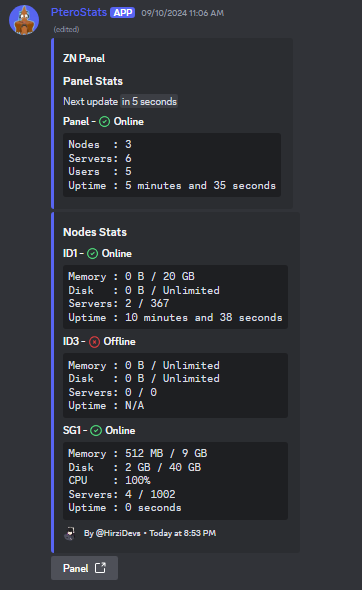
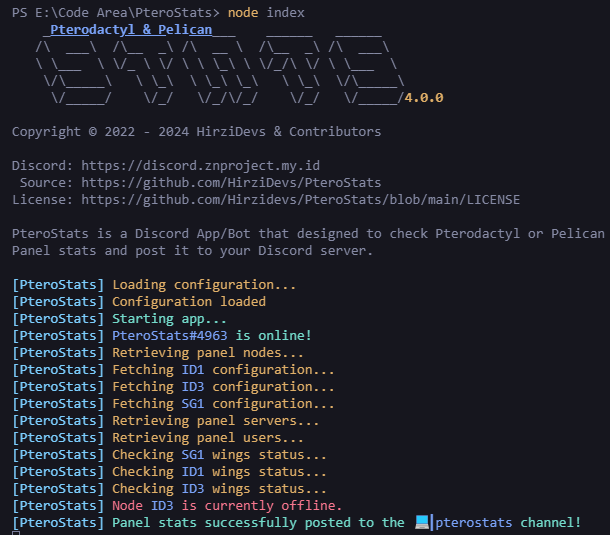
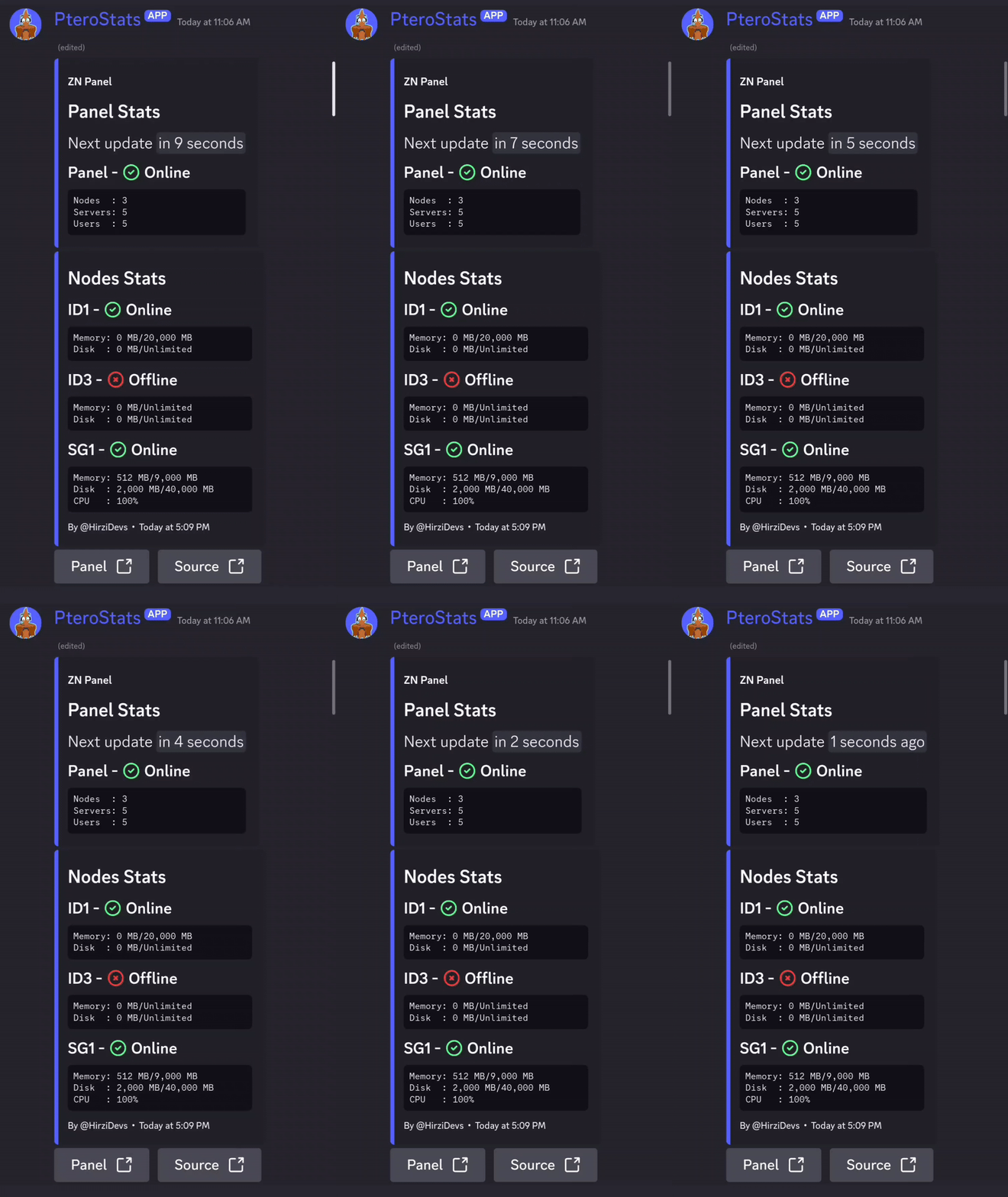
PteroStats is a Discord App/Bot that designed to check Pterodactyl or Pelican Panel stats and post it to your Discord server.
Preview
Guide
- Starting the App/Bot
- Changing Env Configuration
- Getting an Panel API key
- Getting a Channel ID
- Using Custom Emoji
- Blacklist Nodes
Starting the App/Bot
-
Download this repository:
- Downloading this repository and extract it.
- Using Git: Run
git clone -b dev https://github.com/HirziDevs/PteroStats.gitin the command line.
-
Run
npm installin the root directory of the app/bot files. -
Run
node indexand answer the provided questions to set up the app/bot.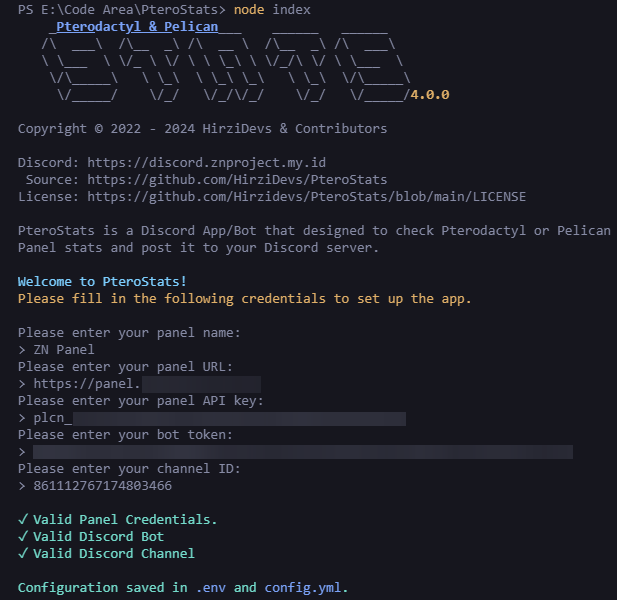
-
Run
node indexif you want to start the app/bot again, and you're done!
Changing Env Configuration
Tip
You can change other configuration at the
config.ymlfile.
-
Run
node setupin the root directory of the app/bot files. -
Enter
2to change configuration.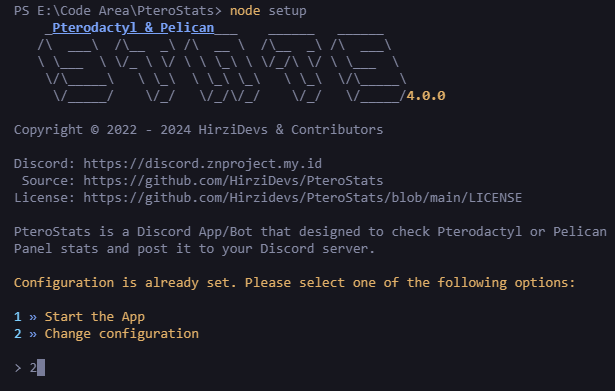
-
Answer the provided question to set up the app/bot.
-
Run
node indexif you want to start the app/bot again, and you're done!
Getting Panel API Key
Warning
The use of Application API keys is deprecated; you should use Client API keys.
Tip
Make sure the owner of the Client API key has access to the administrator panel.
-
Go to your
PterodactylorPelicanPanel and navigate to theAccount Page.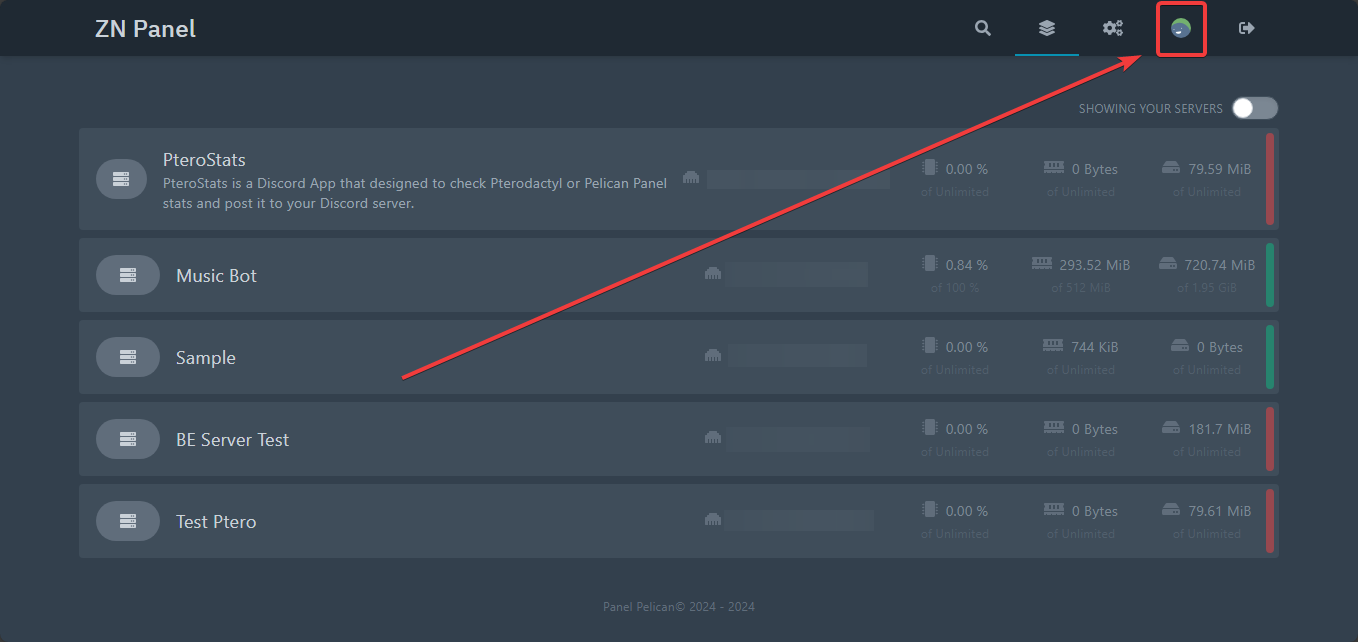
-
Click on the
API Credentialsbutton.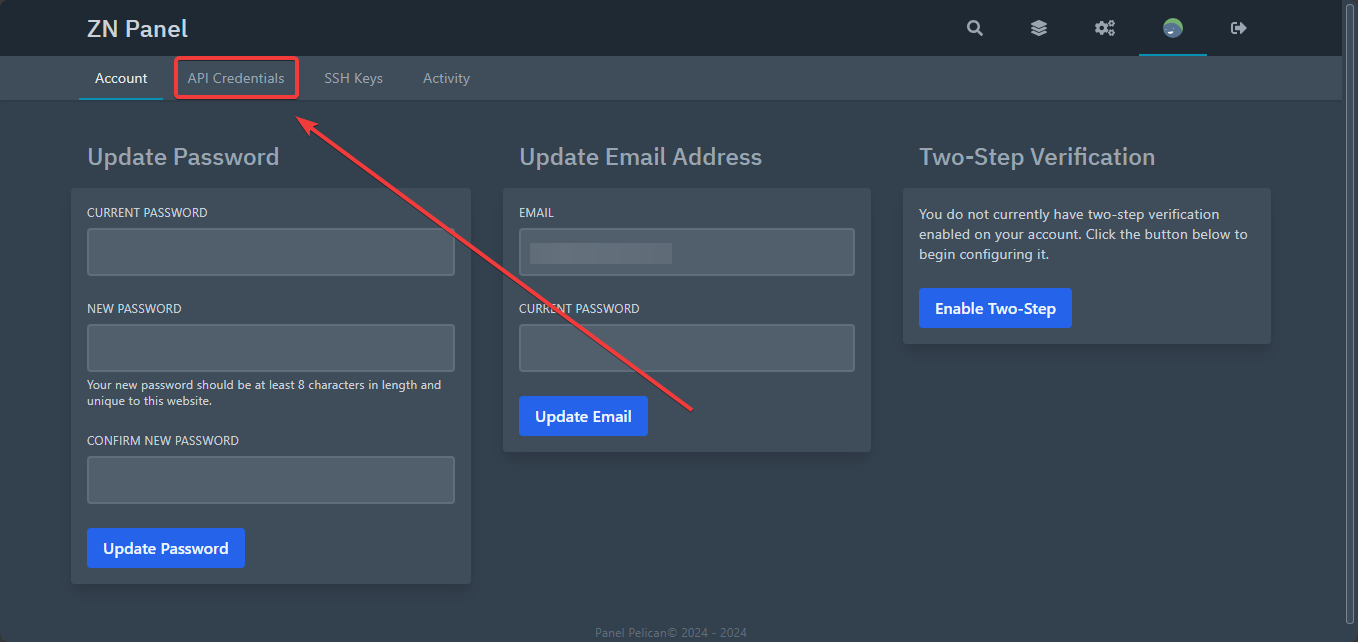
-
Fill in the
Descriptionand click theCreatebutton.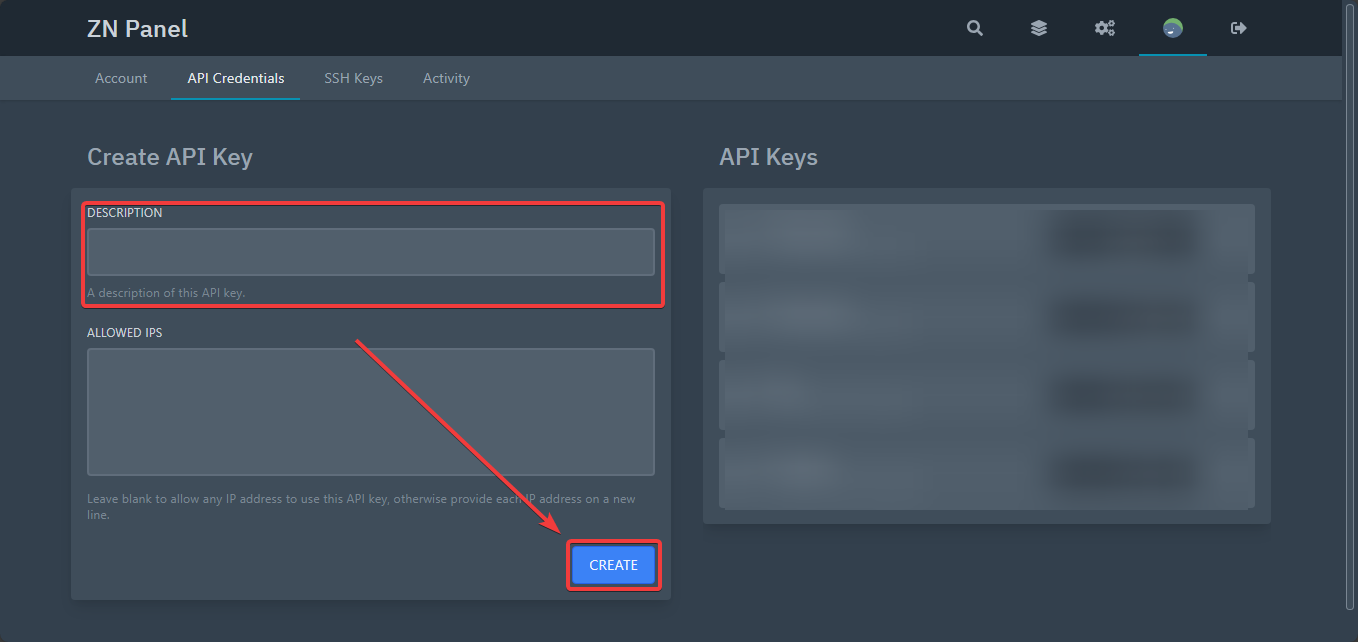
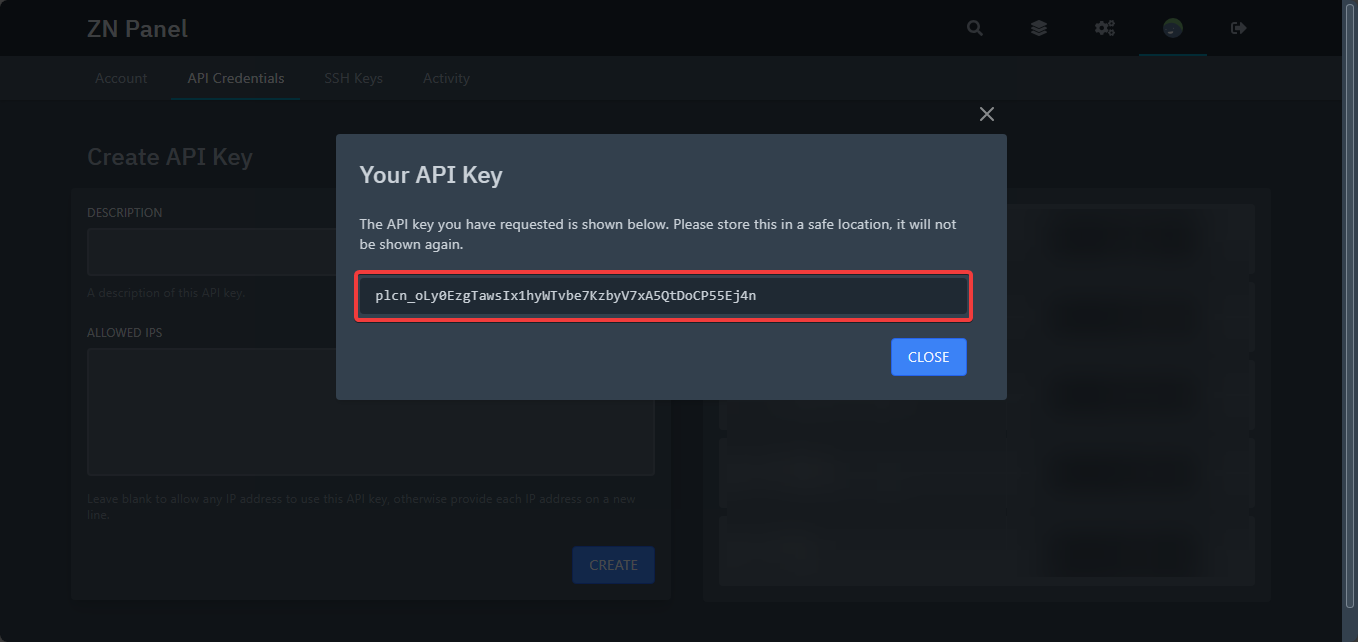
-
Copy the API key.
Getting Channel ID
-
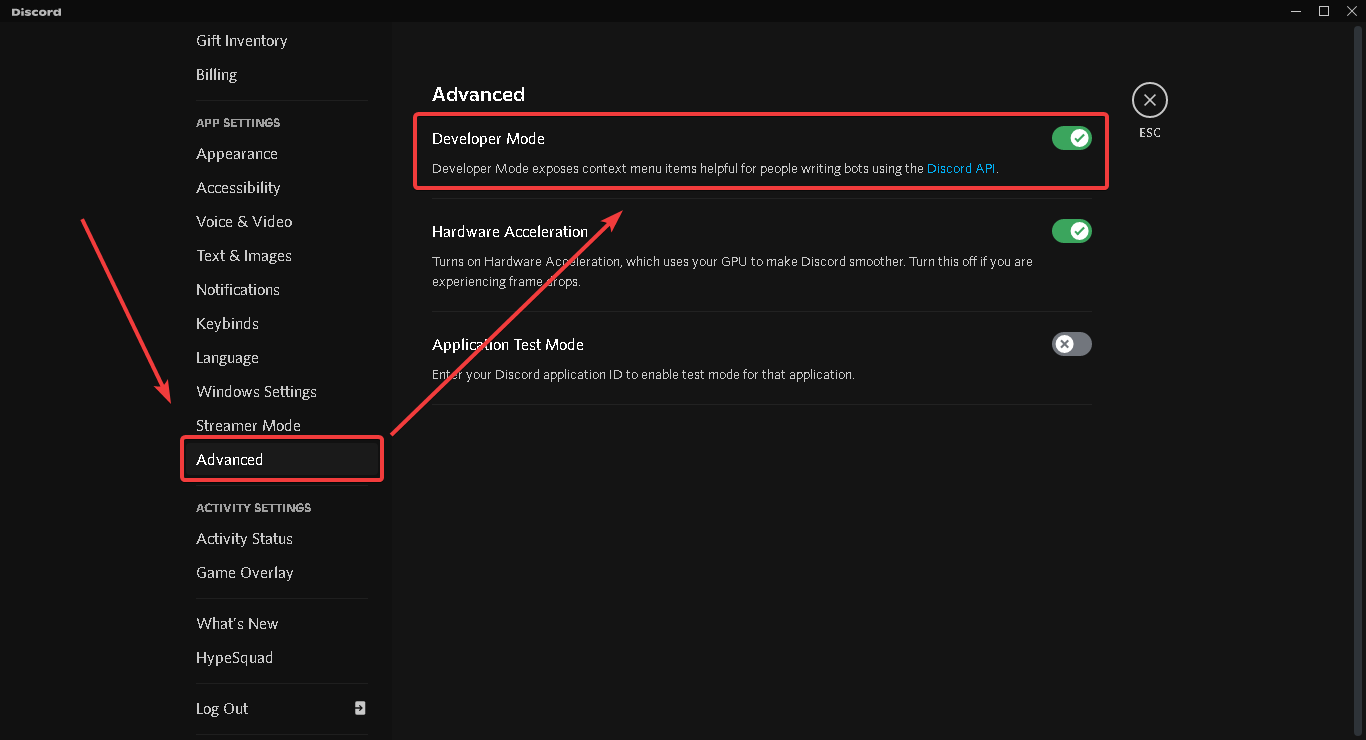
Enable Developer Mode in your Discord settings.
-
Right-click the text channel and select
Copy ID.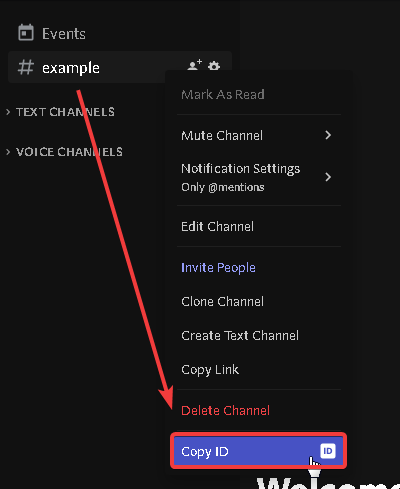
Using Custom Emoji
-
Type
\in the server that has the custom emoji you want.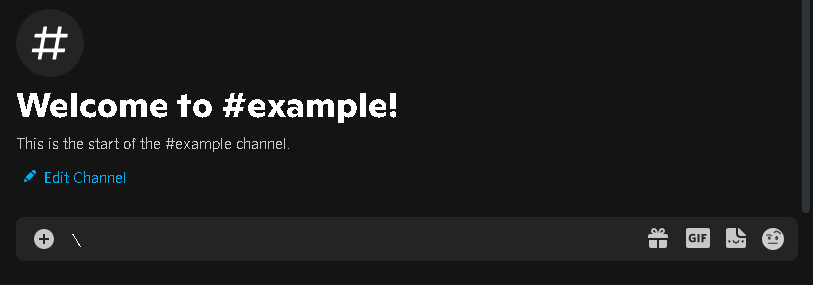
-
Select the custom emoji you want.
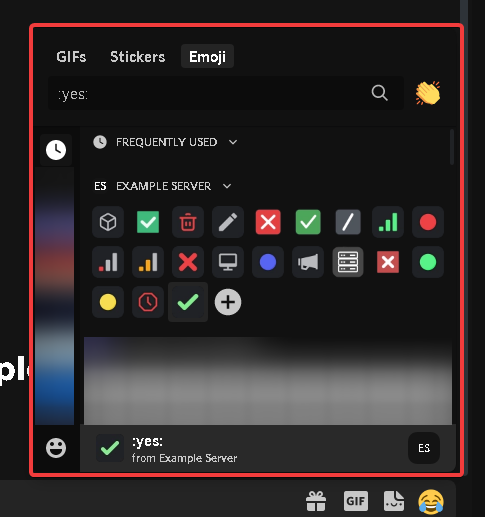
-
Copy the text!

-
Paste the emoji ID into the config.
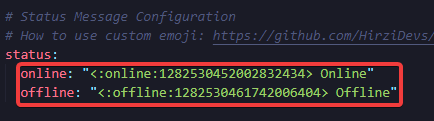
Blacklist Nodes
-
Select a node from the node list on the admin page.
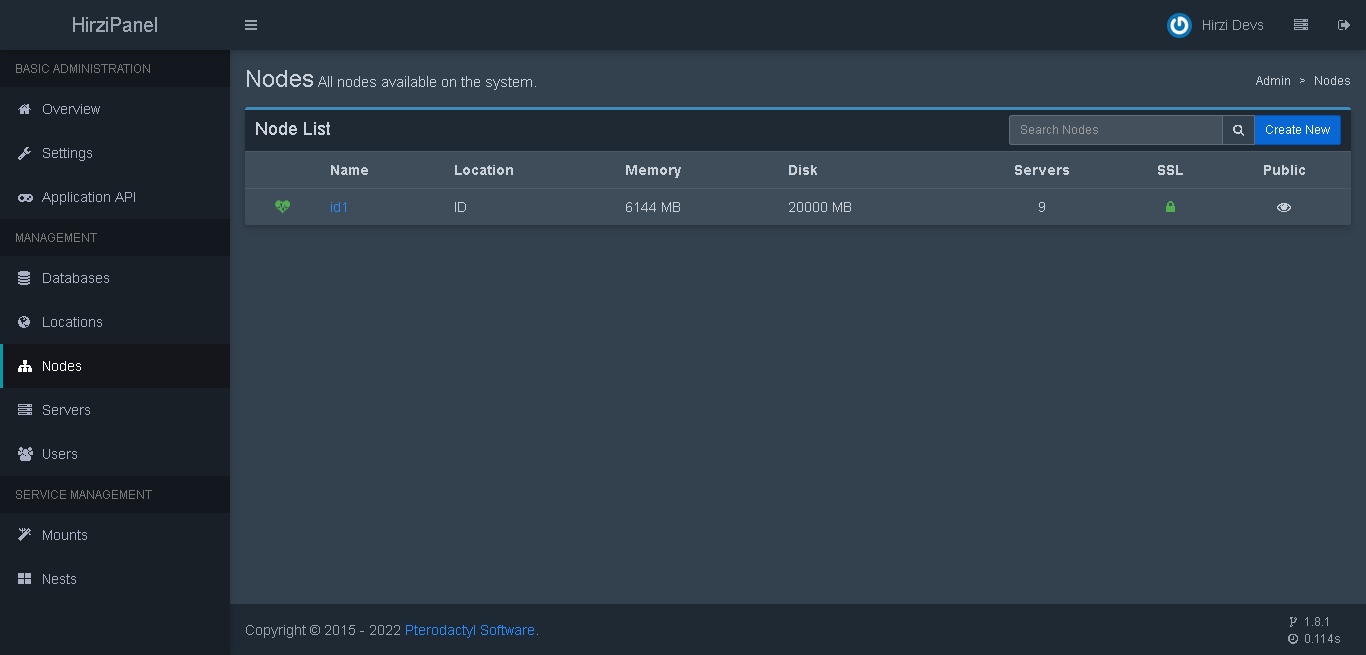
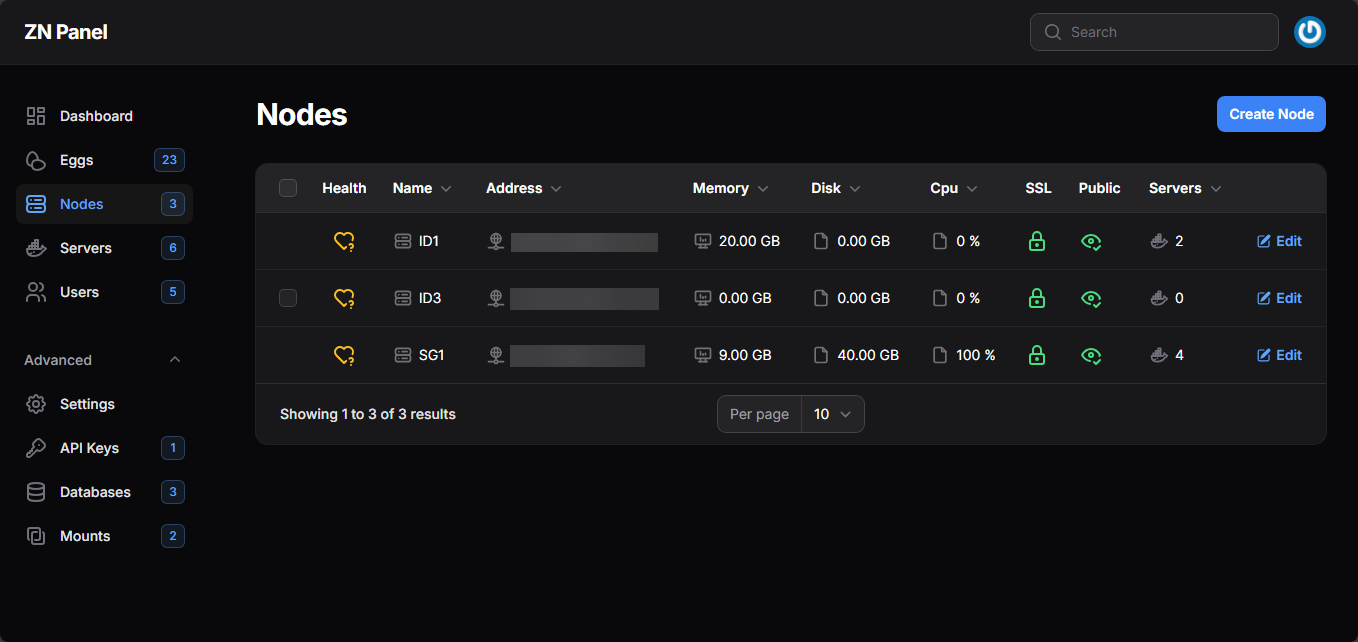
-
Check the URL and copy the node ID.

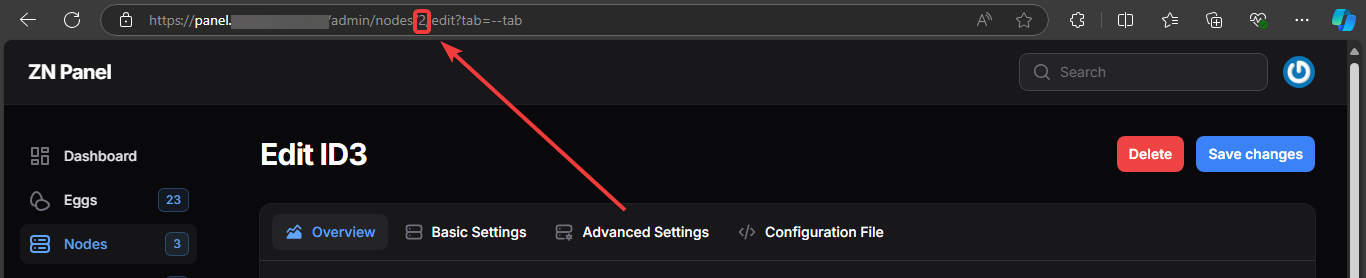
-
Paste the ID into the blacklist in the config.
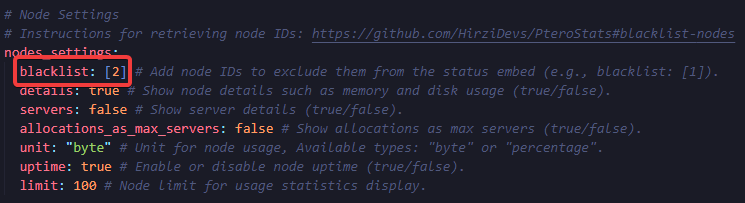
You can add more than one node to the blacklist.
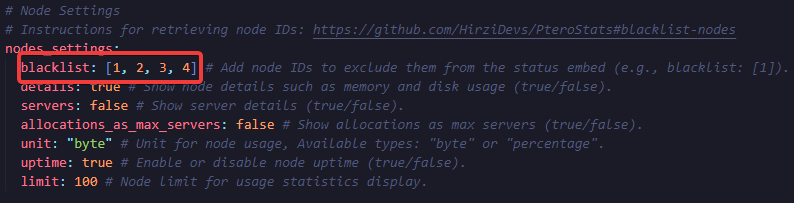
Reporting a Bug
Enable log_error in the config.yml file and check the console for the error message. After that, report it to our Discord server at Support Server.